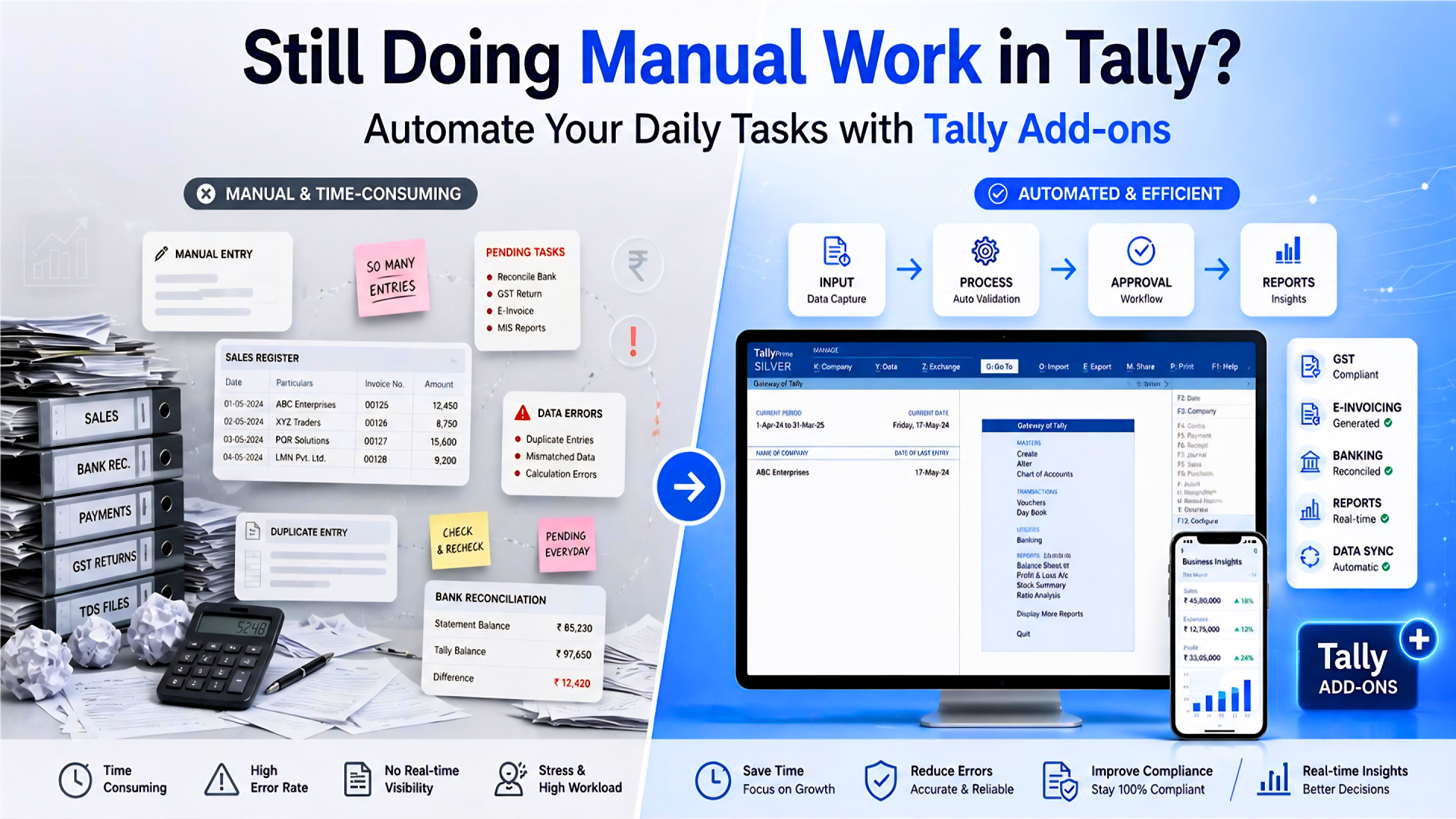
“Why am I still doing so much manual work even after using Tally?”
If this thought has crossed your mind even once, you’re definitely not alone.
We come across this situation quite often. Businesses are using Tally regularly for accounting, yet a surprising amount of work still happens manually around it. Think about a normal day.
And later, when something doesn’t match, no one clearly remembers who approved what.
Then comes the routine part - finding mistakes after entries are already done, correcting them again, and handling invoices by printing, signing, scanning, and emailing… repeatedly.
Individually, these don’t look like major issues. But when they happen throughout the day, every day, they add up. At some point, it starts feeling like you’re spending more time managing work around Tally than actually using Tally itself. If this sounds familiar, you’re in the right place.
Why Does Tally Still Feel Manual Despite Using Software?
Here’s something most businesses don’t realise immediately:
Tally is not the problem. The manual work happens around Tally.
Tally already handles core accounting quite efficiently - recording transactions, generating reports, and maintaining books. That part works well. But when we look at how work actually happens in day-to-day operations, things are a bit different.
- Approvals don’t happen inside Tally - they happen on calls.
- Changes are not automatically tracked - you have to check manually.
- User control depends more on “who is allowed” rather than defined system rules.
- Teams communicate outside the system, not within it.
At first glance, these may seem like small gaps. But over time, they create a situation where accounting is digital… but the workflow is still manual. And that’s where the extra effort comes from.
Once you start looking at it this way, the problem becomes much clearer - and more importantly, it becomes easier to fix.
How Can You Automate Workflows in Tally?
Now let’s look at it differently.
Instead of managing everything through calls, follow-ups, and manual checks - what if these steps were built into your system itself?
What if approvals, tracking, reporting, and control didn’t depend on people being available?
This is where Tally add-ons come into the picture. At Antraweb Technologies, we don’t treat add-ons as “extra tools.” We see them as the layer that completes your Tally workflow.
- They don’t replace Tally. They simply make it work better.
- They remove repetitive manual effort.
- They bring structure where there is dependency.
- They automate processes that usually need follow-ups.
And the important part - your working style doesn’t need to change.
You continue using Tally the same way. The difference is that the system starts supporting you more.
How Do Tally Add-Ons Reduce Manual Work?
Now let’s move away from theory and look at real situations. Because this is where most people realize - “Yes, this is exactly what happens in our office.”
1. Bizeye OneApp - Get Business Insights
One of the most common frustrations we see is this:
You need a quick number - maybe a customer’s outstanding balance or today’s sales - and the only way to get it is to call someone from the accounts team. They open Tally, check the report, and then get back to you. Now imagine doing this multiple times a day.
It may not seem like a big issue - but it slows things down more than you realise. With a mobile dashboard like Bizeye OneApp, this entire process becomes much simpler.
You can directly check:
- Outstanding balances
- Daily turnover
- Cash or bank position
- Pending approvals and overdue bills
And you don’t have to wait for anyone. For sales teams, this becomes even more useful. Before meeting a customer, they can quickly check dues, review past transactions, and even share reports instantly.
What changes? No more calls. No more waiting. You get the data you need, exactly when you need it.
2. TransApproval - Stop Managing Approvals
Approvals are one of those areas where things usually don’t go as planned.
In many businesses, the process still looks something like this - someone creates a voucher in Tally, then calls or messages a senior person for approval. Sometimes it gets approved immediately, sometimes it gets delayed, and in quite a few cases, there’s no proper record of it at all.
And the bigger issue? The entry may already be affecting your books by the time someone actually reviews it.
We’ve seen this lead to confusion more often than expected - especially when teams try to go back and figure out who approved what.
This is where a structured workflow like TransApproval makes a real difference.
Instead of handling approvals outside the system, it brings the entire process inside Tally. Every transaction goes through proper verification and authorization before it becomes final. Until that happens, it doesn’t impact your accounts or inventory.
What makes this even more practical is the visibility and flexibility it offers. Inside Tally itself, users can clearly see:
- Which transactions are pending
- What action is required
- Who needs to take the next step
And even if the concerned person is not sitting in front of Tally, the process doesn’t get stuck. Approvals can be handled on the go through mobile, ensuring that work keeps moving without unnecessary delays.
Every stage - whether it’s created, verified, authorized, or rejected - is recorded with proper details like user, date, and time.
What changes? No more back-and-forth calls. No more missed approvals. Just a clear, trackable process that keeps things moving smoothly.
3. Audit Pro - Know Exactly What Changed
This is something almost every business faces at some point. A number changes in Tally. A voucher looks different. A ledger value doesn’t match. And then the investigation begins.
Who changed it? When? What was the original value?
Without proper tracking, this takes time - and sometimes leads to unnecessary back-and-forth within teams. With Tally Audit Pro, things become much clearer. You can open any voucher or master and instantly see:
- who created it
- what was changed
- what the previous value was
- who made the change
- when it happened
- who deleted or cancelled the voucher
And what makes it even more reliable is that it doesn’t just stop at basic tracking - it also captures technical details like system information, giving you a more complete picture of what actually happened.
4. ATLS - Control Without Constant Supervision
As businesses grow, control becomes more important. Who can alter entries? Who can delete
them? Can someone pass backdated vouchers?
Without proper control, business owners
often end up manually checking and supervising everything. And honestly - that’s not
practical in the long run.
With ATLS (Advanced Transaction Level Security), control is built into the system.
You can define:
- Who can do what ?
- Which actions are restricted ?
- How backdated entries are handled ?
What changes? - Less dependency on supervision. More confidence in how your data is handled.
5. DigiTally - Eliminate Printing, Signing & Scanning
Finally, let’s talk about a process almost every business still follows:
Print invoice → Sign it → Scan it → Email it.
It’s repetitive. It takes time. And small mistakes can create bigger issues later.
With DigiTally, this entire process becomes digital.
You can sign vouchers electronically, generate PDFs instantly, and send them directly. Each document is saved properly, without confusion or overwriting.
It also supports multiple voucher types, so whether it’s sales, purchase, or other transactions, everything can be handled in the same streamlined way - while ensuring that signed documents are properly verified.
What changes? - Faster document handling. Fewer errors. And a much cleaner, paperless workflow.
What Are Other Useful Tally Add-Ons for Business Automation?
Apart from the core modules, there are several other add-ons that solve very specific, everyday problems.
- One Click Outstanding – Send customer outstanding reports instantly via email in just one click, with options like PDF/HTML format, ageing filters, and custom messages - making payment follow-ups faster and more professional.
- Multiple Branch Management (MBM) – Helps businesses manage multiple branches or GST registrations within a single system, with branch-wise reporting, automated inter-branch entries, and better overall control.
- Credit Control Module – Prevents sales when customers exceed their credit limit or credit period, while allowing controlled overrides with proper tracking - helping reduce financial risk.
- Matrix Magic – Converts your Tally data into structured MIS reports with customizable formats, so you can analyze business performance without manual report preparation.
- Tally Dual Authenticator – Adds an extra layer of login security with two-step verification, ensuring only authorized users can access your Tally data.
Individually, each of these solves a small problem. But together, they remove a significant amount of manual effort from your daily operations.
How Do Tally Add-Ons Improve Daily Business Operations?
When these add-ons become part of your workflow, the difference is quite noticeable.
You don’t have to depend on someone for every small piece of information. Decisions happen faster because data is available instantly. Errors reduce because processes are structured. At the same time, control improves - because actions are tracked and managed within the system.
Slowly, your team spends less time managing processes… and more time focusing on actual work.
How to Get Started with Tally Add-Ons?
If your team is still spending time on tasks like checking balances manually, chasing approvals, tracking changes, or handling paperwork - then it’s worth taking a step back.
Because in most cases, this is not a limitation of Tally. It’s simply a gap in how it’s being used.
The right Tally Add-ons don’t completely change your system - they improve it in the right places. At Antraweb Technologies, we’ve seen businesses make real improvements just by addressing these gaps step by step.
You don’t need to implement everything at once. Even starting with one or two areas - like approvals, reporting, or follow-ups - can make a visible difference.
So if you’re looking to: reducing manual work, improving control and make daily operations smoother
It might be the right time to explore how add-ons can support your Tally setup. Sometimes, small changes in the system can lead to big improvements in how your business runs.
Frequently Asked Questions (FAQs)
TallyPrime add-ons are extensions that enhance the functionality of TallyPrime by adding features that are not available in the standard version. In simple terms, they help you do more with your existing Tally system - without changing how you currently work.
Most businesses use TallyPrime for accounting, but many day-to-day activities like approvals, tracking changes, managing reports, controlling user access, or handling documents still happen manually. This is where add-ons come in.
TallyPrime add-ons are designed to bridge these gaps by:
- automating repetitive tasks
- improving control over transactions and user actions
- providing better visibility through reports and insights
- reducing dependency on manual follow-ups
They work directly with your existing Tally data and processes, so you don’t need to shift to a new system or make major changes.
Reducing manual work in Tally usually doesn’t require changing the system—it requires improving how it’s used.
In most businesses, the manual effort comes from activities like checking data, following up for approvals, tracking changes, or handling documents outside the system. These are not limitations of Tally, but gaps in the workflow around it.
By using the right add-ons, you can bring these processes inside Tally itself. For example, approvals can be structured, reports can be accessed instantly, and document handling can be automated.
Even starting with one or two areas—like approvals or reporting—can significantly reduce daily effort and improve efficiency.
Yes, tracking changes in Tally becomes much easier with audit-focused add-ons.
In a typical setup, identifying changes requires manual checking and investigation. But with the right tools, you can view a complete audit trail for both vouchers and masters.
This includes details like:
- what was changed
- what the previous value was
- who made the change
- when it was done
Some solutions also capture system-level information, making tracking more reliable.
This level of visibility helps reduce confusion and ensures better control over data.
Yes, in fact, small and medium businesses benefit the most from Tally add-ons.
In smaller teams, resources are limited, and manual work often becomes a burden. Add-ons help reduce dependency on individuals and streamline daily operations without requiring large system changes.
They can be implemented gradually—starting with one area like approvals, reporting, or payment follow-ups—and expanded as needed.
This makes them both practical and scalable for growing businesses.
No, that’s one of the biggest advantages.
Tally add-ons are designed to work with your existing setup. They integrate with your current data and processes without requiring major changes.
You don’t need to redesign your system or retrain your entire team. Instead, the add-ons enhance what you already have, making your workflow more efficient and structured.
The best way to choose the right add-ons is to first identify where most of your manual effort is going.
For example:
- If approvals are taking time → focus on workflow automation
- If reporting is slow → focus on MIS/reporting tools
- If tracking changes is difficult → focus on audit solutions
- If documentation is manual → focus on digital signing
Every business has different challenges, so the right approach is to solve the most impactful problem first and then expand from there.